WarpSpeed server administration
Manage updates, move backups, and use the WarpSpeed command line
Check the server license
Every server has an id, shown on the console's License page. Register it with your WarpSpeed account from that page to receive a license for the plan you choose. Servers check in with WarpSpeed once an hour, and the License page has a button to check right away after a purchase.
A lapsed license keeps the VPN running, but blocks new users and devices until it is renewed. Each server is licensed on its own; see Pricing for the plans.
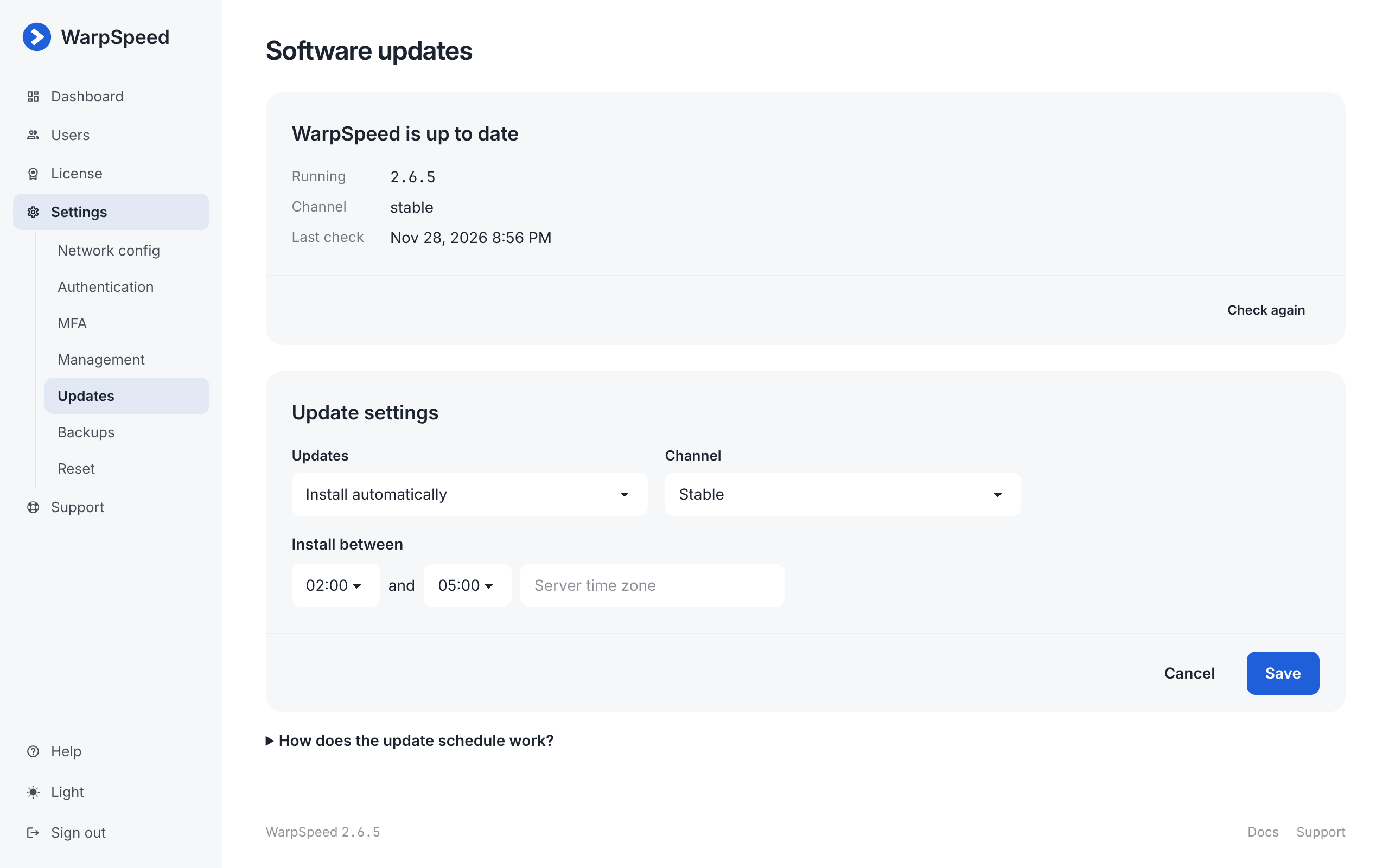
Choose an update schedule
Under Settings, Updates, choose how the server updates:
- Automatic. Installs new releases inside the window you set, by start hour, end hour, and time zone.
- Notify only. Shows that an update is available and waits for you to install it from the same page.
- Manual. Never checks on its own.
Every download is verified before it is installed, and if the new version does not start the server rolls back to the previous one. Updates do not reset tunnels that are already up.
Back up or move the server
Write a consistent copy of the database while the server runs:
sudo warpspeed backup --output /root/warpspeed-backup.sqlite
Restore or move to another server
For a full restore, keep the whole data directory, including tls so the certificate does not need to be issued again, and /root/warpspeed.secrets.
To move to a new server, install WarpSpeed there and move the license to it from your account, or choose it while claiming the new server. To bring users, devices, and the name across too, choose Move from another server on the new server's welcome page and enter the old server's backup key:
sudo warpspeed admin backup-key
See Move a license to a new server for every option.
Command line
Commands for users, licenses, backups, and upgrades
Append --help to a command to see its flags.
| Command | What it does |
|---|---|
warpspeed admin status | Print the instance, settings, and license summary |
warpspeed admin user list | List users |
warpspeed admin user add --email EMAIL | Add a user, with --admin for an administrator |
warpspeed admin user reset-password --email EMAIL | Set a new password, generated when you do not give one |
warpspeed admin license show | Print the license, plan, limits, and expiry |
warpspeed admin license refresh | Download the license from your WarpSpeed account now |
warpspeed admin backup-key | Print the key a replacement server uses to copy this one |
warpspeed backup --output FILE | Write a consistent copy of the database |
warpspeed export | Print users, devices, and settings as JSON, without secrets |
warpspeed check | Verify this binary can open the data directory |
warpspeed check ports | Check that the ports are reachable from the internet |
warpspeed upgrade | Install a newer release now |
The service itself is warpspeed.service. Follow its log with:
sudo journalctl --unit warpspeed --follow